
WhispBuild — Hardware Development for Everyone
The Problem
Hardware development traditionally requires specialized knowledge — embedded systems, cross-compilation toolchains, large SDKs, and solid C programming skills. These prerequisites keep most people from getting started.
With WhispBuild, you don't need any hardware knowledge or software development experience. If you have an idea, you can build hardware.
Ready to Use, No Hardware Knowledge Required
WhispBuild offers ready-to-use hardware products — just plug in and start building. No wiring, no circuit diagrams, no embedded knowledge needed.
Take the Valon-I3 Smart Car as an example:
- Plug in the car with a USB cable
- Open your browser and log in to apps.whispbuild.com
- Create a project and select Valon-I3
- Type your idea, for example:
"I want the car to detect obstacles ahead with the ultrasonic sensor, automatically turn to avoid them, and use the RGB LEDs to show different colors for each state."
- Click Flash — a few seconds later, the car starts moving
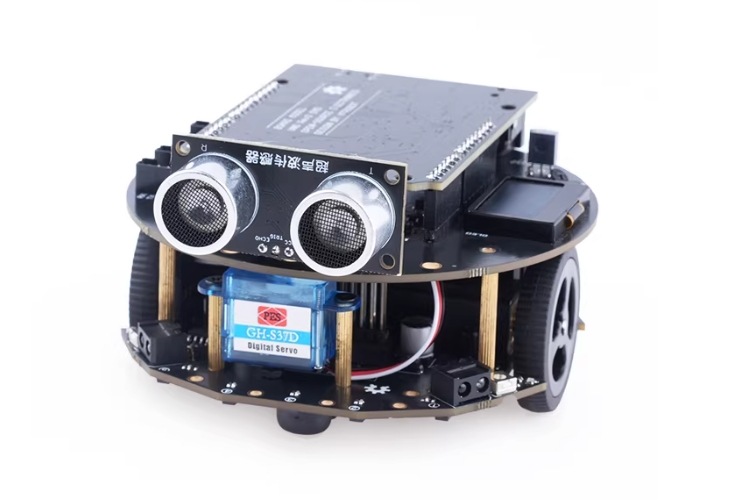
No code to write. No hardware background needed. Just describe what you want in plain language, and the AI takes care of the rest.
The AI Knows Your Hardware
WhispBuild has a built-in hardware knowledge base with datasheets and best practices for a wide range of ICs. For ready-to-use products like the Valon-I3, the AI already knows how every sensor and peripheral on the car is wired. Just tell it what you want:
- "Make a line-following car using the IR sensors, and stop at the end of the track."
- "Play a melody on the buzzer while the RGB LEDs change color to the beat."
- "Use the remote control to drive the car forward, backward, and turn."
The AI generates complete firmware code and compiles it in the cloud. All you need to do is click Flash.
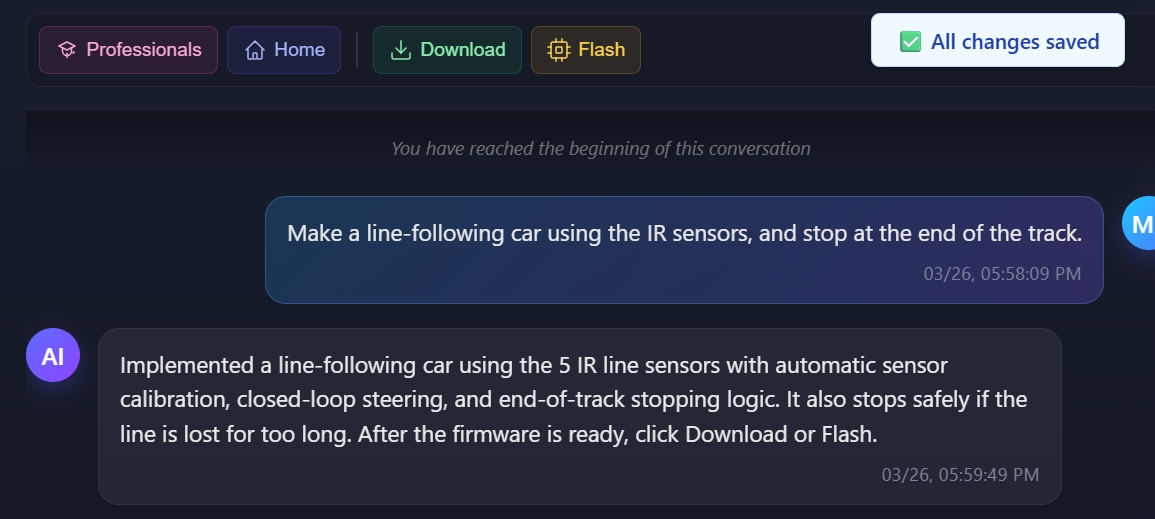
One-Click Compile & Flash
After code is generated, WhispBuild compiles it in the cloud automatically. Once the build succeeds, you can:
- Download firmware: Save the compiled firmware file to your computer
- Flash online: Connect your device via USB and flash it directly from the browser — no extra tools needed

Advanced: Canvas Mode
If you have some hardware experience and want to use your own development board with various sensor modules, WhispBuild supports that too.
In Canvas Mode, you can drag sensors, displays, and other components from the module library onto the canvas, connect pins visually, and then generate code through AI chat. Make sure the wiring on the canvas matches your actual hardware connections.
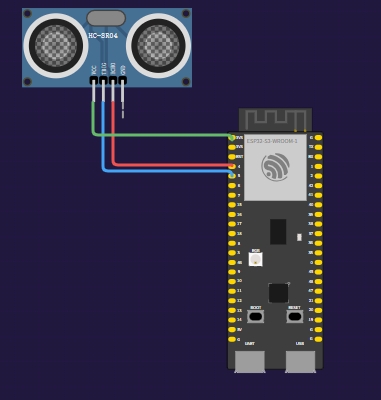
Supported Hardware
Ready-to-Use Products
| Product | Description |
|---|---|
| Valon-I3 Smart Car | Three-wheel circular car with ultrasonic sensor, line tracking, IR obstacle detection, motors, buzzer, RGB LEDs, and IR remote receiver |
More ready-to-use products coming soon.
General Development Boards (Canvas Mode)
| Platform | Typical Boards |
|---|---|
| ESP32 / ESP8266 | ESP32-DevKitC, NodeMCU, ESP32-S3, etc. |
| ATmega / AVR | Arduino Uno, Arduino Nano, Arduino Mega, etc. |
Get Started
Ready to go?
- Get a WhispBuild-supported device (we recommend the Valon-I3 Smart Car for the easiest experience)
- Visit apps.whispbuild.com and sign up
- Create a project and type your idea